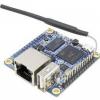
Pine A64
152 topics in this forum
-
Hello , i have used now for some year armbian for this board, very many thanks for that; lately have updated to newer version Debian Trxiie and found that "htop" report a higher CPU usage after freshboot (around 50%) whereas previously it sat a 10% probably; now when evoking htop it gives (CPU offline for core 2-3-4) also nproc report "1" instead of "4"=? not sure if this an error ; noticed a similar report of nproc also with a build of volumio; thank you very much;
-
Hi. I have been running mainline on a Pine64 with mipi-dsi lcd Feiyang display since Focal release. I default application ran directly on framebuffer without X, with startup log rolling until the application loaded, but after recent update including kernel 6.6.44 the display is completely black, all the way from boot. I can see that the screen is being identified at boot, but not sure what else to check. Here are relevant lines from dmesg and modules: $ dmesg | grep mipi [ 10.113223] sun6i-mipi-dsi 1ca0000.dsi: Attached device fy07024di26a30d $ lsmod | grep fy0702* panel_feiyang_fy07024di26a30d 12288 0 Please can …
-
I have PINE A64 WIFI 802.11BGN/BLUETOOTH 4.0 MODULE I can see wifi card but bt is not working Please help me to make this bt module working $ sudo rfkill list 0: phy0: Wireless LAN Soft blocked: no Hard blocked: no $
-
I've got an Pine64 a that was one of the Kickstarter models. For a couple of years I've been running OctoPrint on it to run my Qidi i-mates 3d printer. Recently I decided to update from jammy to noble, before I did that I made a backup of my OctoPrint settings and files through the OctoPrint GUI in case of problems. I got a really messed inconsistent with all sorts of dependencies errors because the apt dist-upgrade seemed to freeze and after several hours of no movement I rebooted. As expected it was the mess. I spent about an hour on fixing dependencies but decided it just wasn't worth it as the only thing running is OctoPrint. When I went to restore OctoP…
-
Reputation Points
- 1 reply
- 2.4k views
- 1 follower
-
-
Hello, I have an A64 2GB ( kickstarter ) with the zwave module in Uart on which I installed the latest version of armbian ( Armbian 24.11.1 Bookworm Minimal ) kernel 6.6.62-current-sunxi64 I have activated the Uart2 via armbian-config but I still can not connect via stty or MinOZW sudo MinOZW /dev/ttyS2 ERROR: Failed to set serial port parameters ERROR: Failed to open serial port /dev/ttyS2 sudo stty -F /dev/ttyS2 115200 Input/output error can you help me ?
-
Reputation Points
- 19 replies
- 7.2k views
- 1 follower
-
-
I need to use a 10 inch 800x600 DSI display in a Pine64 project and I think the easiest way to do this would be to modify the driver for the Pine 7 inch DSI display. It appears to me that the display resolution is hard coded in this driver (panel-feiyang-07024di26a30d.ko) and not supplied by a device tree overlay like some other Armbian SBCs. In the C source for this driver, I see the following data structure which defines a 1024x600 screen size for the 7 inch display ... static const struct drm_display_mode feiyang_default_mode = { .clock = 55000, .hdisplay = 1024, .hsync_start = 1024 + 310, .hsync_end = 1024 + 310 +…
-
By following the instruction how to enable ili9486 on orange pi, I have tried to do that with pine64. So, I installed armbian focal 22.10 with 5.15 kernel, enabled spidev and overlayed dts with tft installation and initialization. But still have a white display. Also I was trying another way to use/edit fbtft, the same issue. `dmesg` shows that spi driver no compatible with ili9486
-
Reputation Points
- 3 replies
- 3.2k views
- 2 followers
-
-

Hi, I've opened with tag orangepiprime because there was no a64 tag eventhough in the Armbian site is flagged as standard support, tell me if i have to reopen it elsewhere. Anyhow I'm constantly getting kernel panics during boot, I've tested images minimal/cli images starting from 23.5.1 down to 24.5.0 (just downloaded the image and flashed with balena etcher), attached there are all the serial logs of the boot processes, all of them are the same more or less. I've tried: powering from GPIO changing powersupply changing usb cable 4 different uSD cards changing the board hooking it up to a display and none of them …
-
Hi, on latest Armbian 23.11.1 Bookworm with PINE64 board I noticed those warnings in journal: Feb 12 10:00:45 pine64 systemd[1]: /lib/systemd/system/systemd-journal-upload.service:33: Unknown key name 'RestartSteps' in s> Feb 12 10:00:45 pine64 systemd[1]: /lib/systemd/system/systemd-journal-upload.service:34: Unknown key name 'RestartMaxDelaySec> I suspect the `systemd-journal-upload.service` is not in tact with systemd daemon version installed.
-
I recently bought a couple of A64-LTS boards from the Pine Store, but I couldn't get the official Armbian images to boot on them. https://www.armbian.com/pine64/ I could, however, get Manjaro to boot on them, and when I created an SD card with U-Boot from the Manjaro SD card, and the partition from the Armbian (Bullseye CLI) image, it booted into Armbian. I noticed, though, that Manjaro distinguishes between the Pine A64(+) and the Pine A64-LTS. Tow-boot also makes the same distinction. So I wondered if maybe Armbian wasn't booting on my A64-LTS boards because it wasn't making that distinction, but it should be. (I also noticed that …
-
Reputation Points
- 11 replies
- 8.2k views
- 1 follower
-
-
Hi, Can anyone tell me how can i remove the wifi and ethernet services completely from the armbian.
-
Hi, I try to enable sound on headphone jack with pine64+ but i could not Alsa says "no sound found" at dmesg Could anyone help me? Thank you root@pine64:~# dmesg|grep -i sound [ 2.686397] No soundcards found. [ 6.323086] input: sun50i-a64-audio Headset Jack as /devices/platform/sound/sound/card0/input5 root@pine64:~# aplay -l **** List of PLAYBACK Hardware Devices **** card 0: sun50ia64audio [sun50i-a64-audio], device 0: 1c22c00.dai-sun8i-codec-aif1 sun8i-codec-aif1-0 [1c22c00.dai-sun8i-codec-aif1 sun8i-codec-aif1-0] Subdevices: 1/1 Subdevice #0: subdevice #0 card 1: sun50ia64hdmi [sun50i-a64-hdmi], device 0: 1c22800.i2s…
-
Hello, I downloaded the latest 20.04 image for Pine64+ and I am not getting any audio from youtube for example. I can see in the Volume Control window in the Output panel an audio level meter moving and the application Chromium. But still get no audio from the TV.
-
I'm running Armbian 20.08 Focal on a Pine64 with 2GB RAM. Mostly everything runs fine, but I do have a problem with getting audio out of the headphone plug. In pavucontrol I can see audio is playing (an internet stream) on Built-in Stereo, but nothing can be heard when connecting speakers. To be clear: I don't want audio out of HDMI, but just from the headphone plug. I have also played around with alsamixer and unmuted everything that was muted and turning up the volume, but still no audio to be heard... Has anybody gotten this to work?
-
Hello, I'm using a Pine 64 LTS with the SoPine image Armbian 21.02.3 Bionic with Linux 5.4.88-sunxi64 I have made various changes and installations to this image, so I want/need to continue using this image. Unfortunately, with the new hardware of the Pine 64 LTS (Pine64 LTS-V2) network connection is no longer possible. (Note: With the current SoPine image there is a network connection). Is there any way to reinstall the current network drivers in my image? I would be very grateful for any help.
-
Reputation Points
- 3 replies
- 3.4k views
-
-
Hi, i'm new with linux and SBC. My final goal is to use the board as a voice command recognition system (without display) and to be honest i do not know how to start. I downloaded Armbian desktop on microSD using balenaEtcher and I inserted it in the board e powered it! i do not have a display unfortunatly and i do not know if desktop version is the best choice or i have to install an embedded version if exists. Could help please? thanks
-
Reputation Points
- 1 reply
- 3.9k views
- 1 follower
-
-
How can PINE A64 GPU hardware acceleration be enabled? Playing a 24 fps full HD MP4 movie is not working smoothly. Here are some results on Armbian Jammy cli from June 30 version 22.05.3 with only installing via apt-get: - mpv, best result, probably ~10 fps - mplayer -vo sdl/fbdev2, probably ~5 fps - cvlc, probably 2~3 fps - kodi, probably 1~2 fps - gst123, could not get it running because issue with ALSA The fps are sort of guessed. Any other software and tips for testing are welcome. None of the movies playing played sound. speaker-test also did not play sound even though alsamixer showed all is well. Tips for this please too. …
-
Reputation Points
- 3 replies
- 3k views
- 1 follower
-
-
Hi, I just installed the Armbian on a Pine A64+ (Armbian Focal, mainline based kernel 5.9.y). I'm having trouble getting audio from the 3.5mm stereo output. I've tried several things, including a speaker test: speaker-test -c 2 -Dsysdefault:sun50ia64audio I tried editing /etc/asound.conf but it doesn't seem to affect anything. Do changes to that file apply instantly? What can I do to test/diagnose the issue?
-
Reputation Points
- 4 replies
- 5.2k views
- 1 follower
-
-
Hi, Armbian gurus. I tried latest Armbian image for PineH64-b. (Armbian_20.11_Pineh64-b_focal_current_5.8.16_desktop) And I surprisingly found there is no audio device when I looked around.( by #aplay -l ) Is this expected for now? My older 5.6 kernel has HDMI device at least. I tried search audio problem around but had no discover so far. Please allow me to confirm with you. I'm looking for a good 5.8 multimedia-capable kernel to merge with my gentoo rootfs. Thank you.
-
I'm using a Pine 64 LTS. For this I have downloaded the SoPine images Armbian_21.08.1_Pine64so_buster_current_5.10.60.img and Armbian_21.08.1_Pine64so_focal_current_5.10.60.img Both images boot normally (including network connection), but after the update (apt update, apt upgrade) no IP4 network connection is established for eth0. For help I am very grateful for any help.
-
Latest Ubuntu Jammy CLI version and I get: update-initramfs: Generating /boot/initrd.img-5.15.48-sunxi64 W: Possible missing firmware /lib/firmware/rtl_nic/rtl8156b-2.fw for module r8152 after apt upgrade.
-
Reputation Points
- 2 replies
- 6.2k views
- 1 follower
-
-
I cannot boot into lvm encyprypted root partition: mount: mounting "/dev/mapper/vg-root on /root failed: No such file or directory␍␊ Failed to mount "/dev/mapper/vg-root as root file system.␍␊ The flollowing step i made (short version) - create the lvm partition - mount lvm partition and and copy file system auf lvm partition, bind /dev, sys, proc - chroot in the lvm root partition (vg-root) - change /etc/fstab : insert /dev/mapper/vg-root / ext4 errors=remount-ro 0 1 UUID=<UUID-Partiion> /mnt/mnt ext4 defaults,noatime,nodiratime,commit=600,errors=remount-ro …
-
Reputation Points
- 0 replies
- 2.2k views
- 1 follower
-
-
Hello all you awesome community members! So I got this Pine a64+ during their Kickstarter campaign. Initially I used it as a little play desktop. I never really found a use for it until very recently. I decided to use it as a little software Squeezebox client. I installed Armbian 22.04 server. I then setup alsa to use the HDMI audio as default output. I installed squeezelite and it immediately found and connected to my LMS (Logitech Media Server) running on my server. At this point I figured all was good. The sound was working great through my receiver. The next morning (Sunday) the kids could not get the TV sound to work. So of course …
-
Reputation Points
- 0 replies
- 2k views
- 1 follower
-
-
Hello, I have a massive problem as the time/date on my Pine64 keep changing randomly to the year 2113. In my project, I use several Pine64s and the problem now occurs on many of these Pine64s. Unfortunately I need the correct time for my project. I am using the following system: ARMBIAN 5.32.170911 nightly Ubuntu 16.04.3 LTS 4.13.0-sun50iw1 (with additional overlays = uart3 and console = ttyS3) Could this be due to the error described in the post and is the bug fixed in kernel version 4.14? Could I install this kernel version 4.14 via armbian-config (next-kernel)? Thanks a lot for help.
-
Reputation Points
- 110 replies
- 48.7k views
- 13 followers
-
-
Hello, I have a Pine64 board and recently added an audio POT with the pcm5102a chipset. It is rather difficult to get the board working/recognized. I found info on the forum saying one has to do stuff with the overlay system but only for other boards than the Pine64 and I can't get it right. aplay -l: root@pine64:~# aplay -l **** List of PLAYBACK Hardware Devices **** card 0: sun50ia64audio [sun50i-a64-audio], device 0: 1c22c00.dai-sun8i-codec-aif1 sun8i-codec-aif1-0 [1c22c00.dai-sun8i-codec-aif1 sun8i-codec-aif1-0] Subdevices: 1/1 Subdevice #0: subdevice #0 card 1: sun50ia64hdmi [sun50i-a64-hdmi], device 0: 1c22800.i2s-i2s-hifi i2s-hifi-0 [1c…
-
Reputation Points
- 0 replies
- 2k views
- 1 follower
-
-
Hello, I am using Allwinner A64 processor for my use case. In that, I want to flash my custom os into emmc memory which is alredy worked in SD card. Currenlty we go thorugh below link: https://wiki.pine64.org/index.php/NOOB#Instructions_to_Flashing_eMMC_Modules we follow "xzcat imagename.img.xz | sudo dd of=/dev/mmcblk1 bs=1M status=progress conv=fsync" this command but we got input/out error while reading memory. Please check below screenshot.
-
Yesterday, I upgraded my Pine A64 LTS to the 5.10.21 kernel: The system rebooted just fine, though took longer then before. I didn't realize why until today, when I tried to access /media/mmcboot and discovered that it wasn't there. In fact, there is no /dev/mmcblk0p1 device at all. It's bizarre: it boots from the MicroSD, switches to my SSD, but then the MicroSD card device is simply gone when the system is up. I do not see this on two other Pine A64 (not LTS) systems. I was able to mount the microSD card on one of the other systems, and fsck reported everything was fine. I could also see all of the files just fine. The files …
-
Reputation Points
- 11 replies
- 5.1k views
- 2 followers
-
-
Dear friends! I have a project, where I needed to use 4 infrared receivers and 2 transmitters connected to GPIO. After a lot of research I realized how to cook all stuffs together: So I have Pine64 A64 512MB cards (not the plus model), running Armbian 20.05.0-trunk.038 nightly, (uname -r: 5.4.18-sunxi64). I needed to freeze upgrades for two reasons: Boot hangs up: The armbian thinks that I have the plus model: on every upgrade I need to replace the "sun50i-a64-pine64-plus.dtb" file with "sun50i-a64-pine64.dtb" at /boot/dtb/allwinner because the non-plus model (512MB) has different ethernet hardware. Missing gpio-ir-recv kernel module from stock A…
-
Reputation Points
- 2 replies
- 5.5k views
- 1 follower
-
-
Hi, I brought new pine64 board and installing OS in SD card. This OS considering kernel 5.10.34 and now I want to modify some of the kernel features. For that, please guide me how to download kernel source and rebuild it for pine64.
-
We have initial support for Pine64/Pine64+ for a long time in our repository but not released any official images yet. Since this will change soon a sneak preview what to expect. Hardware related issues: Please don't blame Armbian for the few design flaws Pine64 and Pine64+ show: These boards use Micro USB for DC-IN which is the worst possible decision. Most USB cables have a resistance way too high and are responsible for severe voltage drops when consumption increases, then the tiny Micro USB contacts have also a pretty high contact resistance and also maximum amperage for this connector is limited to 1.8A by USB specs. So in case you want …
-
Reputation Points
- 331 replies
- 304.4k views
- 15 followers
-
-
I have looked up relevant information on Google. Since 5.6, pine a64 already supports dsi in the kernel mainline.And the Feiyang FY07024DI26A30-D 7inch MIPI-DSI LCD Panel driver and dts already released. But the 7inch lcd above is a video mode panel.I can not found any information about the command mode panel. Is pine a64 mipi-dsi supports command mode from the kernel mainline? Any help is appreciated!!
-
Hi, Just want to check what the recommended approach is with today's dist-upgrade. I noticed that armbian-bsp-cli-pine64 was held back, so tried a manual install to see what the problem was. Seems like apt wants to remove linux-focal-root-current-pine64 to upgrade armbian-bsp-cli-pine64. Is this a temporary dependency issue? Obviously not performing the upgrade unless informed of the correct approach. BR.
-
Hi, I have a couple of these boards which I have been using with Armbian and the old, 3.10 kernel. Ideally I would really like to go mainline as later kernels have some functionality that would be useful for my use of the board. The only remaining reason (apart from cpu freq.) for sticking to the 3.10 kernel has been the lack of MIPI DSI support in mainline, but now I see that, despite the Matrix at http://linux-sunxi.org/Linux_mainlining_effort still being red for A64 mipi, some work is being/has been done by Maxime Ripard. I'm just wondering if anyone here knows if a working mainline kernel with DSI for the Pine 64 is starting to look like a p…
-
Reputation Points
- 126 replies
- 59.5k views
- 9 followers
-
-
I recently upgraded my working Pine A64-LTS board to Armbian 10.9 by using standard 'apt-get update' followed by 'apt-get upgrade' The update went fine (no error messages) and i rebooted the unit. The unit was unable to mount the root filesystem it complaint about UUID probably incorrect, but this was not the case. After doing some research i found out that the DTB file was changed on the mmc0 part. The option 'non-removable' was removed wich let to the kernel using the PUSH-PUSH routine? cd pins to see if a SD card is present. It looks like it that not all versions of the Pine A64-LTS have this pin or maybe in the past …
-
Reputation Points
- 0 replies
- 6.6k views
- 1 follower
-
-
Hi all, I hope someone can help me with an annoying but not pressing eMMC boot problem. Recently I bought myself a Pin64 H64 3GB SBC and an 32GB eMMC module (actually ordered a 16GB but got a 32GB :-) ) I have a Waveshare 7" TFT touchscreen attached. SBC and Screen are powered either a 5V/3A PSU or a batterypack. Now the board boots fine and fast! from a Samsung EVO sd card .. no problems there, but I cannot get the board to boot from the eMMC module. What I have done so far: 1) Flash an Armbian Buster image to the eMMC (using a USB_eMMC converter) with Etcher on Linux Mint... Boot the board from eMMC WITHOUT…
-
Reputation Points
- 33 replies
- 23k views
- 1 follower
-
-
For PINE A64 with Ubuntu Focal (stable and nightly) with a 5 MP camera, the documentation states to add camera_type=s5k4ec to /boot/armbianEnv.txt and reboot. After rebooting, the kernel module is not available. modinfo s5k4ec returns: modinfo: ERROR: Module s5k4ec not found. The file /boot/config-5.9.8-sunxi64 shows that only camera sensors OV2640 and MT9V011 are available and CONFIG_VIDEO_S5K4ECGX is not set. Is this an issue with the build?
-
Reputation Points
- 8 replies
- 4.6k views
- 2 followers
-
-
I am using Armbian Buster on Pine64-LTS units. I recently upgraded version 19.11.3 to 20.02.1 and since having problems with high kworker load and strange warning in dmesg output: [ 7.734729] ------------[ cut here ]------------ [ 7.737084] WARNING: CPU: 1 PID: 30 at drivers/clocksource/arm_arch_timer.c:360 sun50i_a64_read_cntpct_el0+0x24/0x30 [ 7.738928] Modules linked in: cpufreq_dt realtek axp20x_usb_power industrialio pinctrl_axp209 dw_hdmi_cec lima dw_hdmi_i2s_audio gpu_sched dwmac_sun8i mdio_mux [ 7.741485] CPU: 1 PID: 30 Comm: kworker/1:1 Not tainted 5.4.20-sunxi64 #20.02.1 [ 7.743435] Hardware name: Pine64 LTS (DT) [ 7.745514] Wor…
-
Reputation Points
- 4 replies
- 5k views
-
-
5.10.4-sunxi64 pine64 board with goodix 7" mipi-dsi LCD touchscreen. The LCD output is working fine across reboots after enabling the dt overlay using armbian-config. For the touchscreen, I have added "goodix" to /etc/modules and the digitizer works fine from all cold boots: ~$ dmesg | grep -i goodix [ 5.836601] Goodix-TS 1-005d: supply VDDIO not found, using dummy regulator [ 5.843605] Goodix-TS 1-005d: ID k}\xfa, version: 7b6f [ 5.866815] input: Goodix Capacitive TouchScreen as /devices/platform/soc/1c2ac00.i2c/i2c-1/1-005d/input/input5 but a reboot leads to either: [ 5.856172] Goodix-TS 1-005d: supply VDDI…
-
Reputation Points
- 8 replies
- 7k views
- 1 follower
-
-
Hi, Thanks to the hard work of your team, the Pine64-plus touchscreen now works great with the mainline kernel and legacy images are no longer listed in the download options, but it looks like some of the instructions at https://www.armbian.com/pine64/ are still referring to the "old way" of doing things: ie: Pine64’s own LCD with touchscreen support can simply be activated in /boot/armbianEnv.txt by setting pine64_lcd=on and adding gt9xxf_ts to /etc/modules followed by a reboot. The LCD screen is now activated by manipulating the DT overlays, which can even be done from armbian-config - hardware, and the touchscreen module is…
-
Reputation Points
- 2 replies
- 4.1k views
-
-
I have been running Armbian on a headless Pine64 (the kickstarter one) for quite sometime without any issues. Last week I woke up in the morning and noticed that there had been a power cut. The Pine64 was on again but I couldn't SSH into it. I plugged a monitor and found the system hangs while booting with the following error: Error while loading shared libraries: lib system-shares-241.so: cannot open shared object file: No such file or directory Kernel panic - not syncing: Attempted to kill init! exitcode=0x00007f00 CPU: 1 PID: 1 Comm: init Not tainted 5.4.43-sunxi64 #20.05.2 Hardware name: Pine64+ (DT) Call trace: dump_backtrace+0x0/0x180 show_stack+0x14/0x20 dump_s…
-
Hi, Thank you all for so much work to fully implement the mainline kernel for the Pine64! So much is now working out-of-the-box with armbian, that there is no need to use the legacy version based on kernel 3.10. The pine64 does have CIR capabilities and the sunxi-cir kernel module is available, but we are still missing DT bindings for the device, although I see that an overlay file is present for the h5: /dts-v1/; / { compatible = "allwinner,sun50i-h5"; fragment@0 { target = <0xffffffff>; __overlay__ { pinctrl-names = "default"; …
-
Reputation Points
- 1 reply
- 2.8k views
-
-
LCD support does not appear to be working in the latest builds (stable kernel 5.8.6, development kernel 5.9.7) My understanding is that this has been an issue for a while with A64 boards, specifically the Pine64, but that it was working at one time. Here's what I've tried so far: -Followed instructions at https://docs.armbian.com/Hardware_Allwinner/ and added "setenv video-mode sunxi:480x272-24@60,monitor=lcd,hpd=1,edid=1" to boot.cmd and put "saveenv" at the end, re-compiled boot.scr -Did a modprobe of panel-olimex-lcd-olinuxino -Rebooted several times -Ensured that LCD jumper was closed and verifie…
-
Reputation Points
- 5 replies
- 4.1k views
- 1 follower
-
-
Hi! I'm using the Sopine A64 Armbian Buster image version 5.91 in combination with my PineA64-LTS SBC. First off I'd like to say that it runs great, thank you guys very much for providing this fully featured image and thereby keeping this SBC up to date! For the last few weeks I've been trying to get the Pine 64 7" LCD screen to work with it, but so far unfortunately I haven't been able to. What I've tried: Follow instructions to get LCD working as stated on the older brother's PineA64 page: add 'pine64_lcd=on' to /boot/armbianEnv.txt, and add 'gt9xxf_ts' to /etc/modules, then reboot. No luck. Read about the Allwinne…
-
Reputation Points
- 4 replies
- 6.1k views
- 1 follower
-
-
Ethernet does not appear to be working on the latest versions of Armbian with pine64 512mb model (has only 10/100MBps Eth) Current Version: ARMBIAN 5.83 stable Debian GNU/Linux 9 (stretch) 4.19.38-sunxi64 - I have tried 2 boards in case its a hardware issue, no go. - Ethernet works with Armbian Xenial (3.10 legacy kernel) - The network port shows activity when initially powering up, but when it begins boot lights go out. - I have tried many older and newer kernels, including the new 5.1.0 dev kernel, with no luck. - Eth0 show up with command "ip address" but not with "ifconfig" - When I try running "sudo ethtool eth0" I get error…
-
Hi. I am getting a kernel Oops in the Pine64+ . . . .see below. Kernel is 5.8.13-sunxi64. It was installed after a recent update. I would like to drop back to the previous kernel if possible. Does this seem like a reasonable search term for a suitable kernel? Any ideas on searching and installing a previous kernel appreciated. sudo apt-cache search kernel 5.8* | grep sunxi64 linux-dtb-current-sunxi64 - Linux DTB, version 5.8.13-sunxi64 linux-dtb-dev-sunxi64 - Linux DTB, version 5.9.0-rc7-sunxi64 linux-dtb-legacy-sunxi64 - Linux DTB, version 5.4.62-sunxi64 linux-headers-current-sunxi64 - Linux kernel headers for 5.8.13-sunxi64 on arm64…
-
Hello. I'm a bit confused, i have a PINE64 board ("PINE A64+", 2GB mem.) (this one : https://www.pine64.org/?product=sopine-a64-baseboard-combo) I installed some years ago ARMBIAN on it - everything is running fine. But i'm still on kernel 3.X something : ``` uname -a Linux pine64 3.10.107-pine64 #2 SMP PREEMPT Fri Feb 8 10:23:10 CET 2019 aarch64 GNU/Linux cat /etc/armbian.txt ------------------------------------------------------------------------------- Title: Armbian 5.73 Pine64 Debian jessie default Kernel: Linux 3.10.107 Build date: 28.01.2019 ... ``` …
-
I just received my Pine A64 LTS V1.2 board, 7" LCD TOUCH SCREEN PANEL, and playbox enclosure. I flashed an sd card with Linux Armbian Focal: https://dl.armbian.com/pine64so/Focal_current If the LCD is connected via the DSI port, the boot freezes during UBoot. If I disconnect the LCD from the DSI connector, we get past the first part of UBoot immediately and it eventually brings me to the login prompt. I do observe that the green power LED appears to light then turn off about when it freezes on boot with the DSI connector attached. I have the official 5 V 2 A SOPINE supply from the store (https://store.pine64.org/product/sopine-baseboard-us-p…
-
Reputation Points
- 4 replies
- 3.8k views
- 1 follower
-
-
U-Boot SPL 2019.01-armbian (Apr 08 2019 - 01:44:37 +0200) DRAM: 4096 MiB Trying to boot from MMC1 NOTICE: BL31: v2.1(debug):8a08e27 NOTICE: BL31: Built : 00:11:54, Apr 5 2019 NOTICE: BL31: Detected Allwinner H6 SoC (1728) NOTICE: BL31: Found U-Boot DTB at 0xc06ea70, model: Pine H64 INFO: ARM GICv2 driver initialized NOTICE: PMIC: Probing AXP805 NOTICE: PMIC: AXP805 detected INFO: BL31: Platform setup done INFO: BL31: Initializing runtime services WARNING: BL31: cortex_a53: CPU workaround for 819472 was missing! WARNING: BL31: cortex_a53: CPU workaround for 824069 was missing! WARNING: BL31: cortex_a53: CPU workaround for 827319 …
-
All, Don´t know if anybody else did it... but I got Bluetooth running by modifying the device tree and adding support for communication between the RTL8723BS and UART1 and loading the needed RTL8723B firmware. Distro: Armbian Buster Kernel version: 5.4.30-sunxi64 This is how I did it: 1) Create a patch (xx.patch) with the next content and place it in ~/build/userpatches/kernel/sunxi-current/ --- a/arch/arm64/boot/dts/allwinner/sun50i-h6-pine-h64.dts 2020-04-06 12:37:45.584912094 +0200 +++ b/arch/arm64/boot/dts/allwinner/sun50i-h6-pine-h64.dts 2020-04-06 12:37:45.584912094 +0200 @@ -498,6 +498,21 …
-
Reputation Points
- 11 replies
- 8.5k views
- 1 follower
-
-
After a fresh armbian installation + armbian-firmware-full package, the pine64 bluetooth doesn't work because the rtl8723bs_config-pine64.bin file is missing. I've downloaded the file from https://github.com/anarsoul/rtl8723bt-firmware/tree/master/rtl_bt into /lib/firmware/rtl_bt and it works so I've created a PR here https://github.com/armbian/firmware/pull/14 to add it to the firmware package so it can work out of the box. Let me know if I need to do something else for the PR to be merged. Thanks.
-
Reputation Points
- 0 replies
- 2.7k views
- 1 follower
-
-
Hi, Since I still couldn't find a enclosure for my Pine64 H64 model-B, I mocked up one myself using a Eur 6,50 Raspberry Pi 4 case. 1) From the USB/ETH connector side I cut out the sections in between the connectors since there is a small offset that pushes the Pine64 board aside when closing the case. 2) From one of the cover lulls, I cut out a section to fit over the IR sensor. 3) On the HDMI side I cut out the two ports holes of the RPI micro hdmi connections and I made a notch in the USB-C hole to fit the power connector of the Pine64. 4) Drilled a hole in the cover large enough for the WIFI/BT antenna connector, on the board,…
-
I'm searching for an IDE like VSCode or Atom for my Pine64 with 2GB. I've found a way to install VSCode named Code OSS headmelted, but after 15 minutes the memory gone to be overflow, with the risk to collapse the os. Excluding Geany, is there some IDE that works and can be used for NodeJS/ES6 ?
-
Reputation Points
- 14 replies
- 8.2k views
- 2 followers
-
-
After a reboot, my HDMI does not send anymore signal. The resolution of my desktop (using x11vnc) is 1024x768. This is the pastebin from dmesg: dmesg from Pine64 There are some error on sunxi8. Can someone help me?
-
Reputation Points
- 7 replies
- 5.6k views
- 1 follower
-
-
pine 64so Pine64, bananapi M64 images 19.11.3, GUI XFCE 4.12 dont not run after upgrade images 20.02 GUI does not work from begining after installed. Never mind i build 19.11.5 kernel 5.4.18 and works
-
Reputation Points
- 0 replies
- 2k views
- 1 follower
-
-
I am currently using the Armbian 20.02 release and doing some tests with the serial ports of a Pine64-LTS board. I noticed that i could not get all the serial ports to work. I needed to make a couple of changes in order to get them all working. Maybe i did something wrong and my changes were not needed, but i still would like to list them here in order to help other users who are having problems with the serial ports. When first starting up the armbian release i used the armbian-config tool to enable the uart 1, uart 2, uart 3 and uart4. I rebooted but noticed not all ports where present. I noticed a message in the dmesg log showi…
-
Reputation Points
- 2 replies
- 4k views
-
-
Is there a way to boot the Pine-A64 LTS with Armbian via eMMC? I can use the SD card to boot the armian-Sopine image, but the eMMC memory is not recognized. With the Ayufan image (jessie-minimal) on SD card (https://github.com/ayufan-pine64/linux-build/releases), I can at least recognize the eMMC memory and using sudo dd bs = 30M if = Image / jessie-minimal-sopine-0.7.19-118.img of =/dev/ mmcblk1 copy to the eMMC memory. I removed the SD card and booted with eMMC. I did the same steps with the Armbian image and write the Armbian image on the eMMC (with the Ayufan image on SD card) sudo dd bs=30M if=Image/Armbian_5.38_Pine64so_U…
-
Reputation Points
- 12 replies
- 8.5k views
- 1 follower
-
-
I'm currently looking into a new project which will use (hopefully) the Rpi Waveshare hdmi based 4" lcd touch screen, linked to the pine64/Sopine I'm at research stage, and will be looking into using a current 5.x kernel. If anyone has any info on the waveshare lcd's I need to watch out for or suggestions to get further info (specifically the touch driver side), please post a response. Progress on the project will be posted here, links will be added once I have some basics running. This can hopefully open up the waveshare displays to other devices. @Igor Yes I've read This post but am willing to do what I can to get Armbian to support the d…
-
Reputation Points
- 0 replies
- 2.1k views
- 1 follower
-
-
I've tried searching the forums for info on the Pine H64 Model B, but all the information is rather outdated, so I have some questions: Is this board supported by the images on the Pine H64 page which show a Model A board? (There was mention they work but without ethernet support.) Has ethernet support been fixed in the Pine H64 images for Model B? Are nightly builds still disabled for these boards?
-
Reputation Points
- 25 replies
- 8.3k views
- 2 followers
-
-
Hi everyone! I'm trying to build my own distribution for the Pine64, and I use armbian as a working reference. I'm able to compile ATF + U-boot + Kernel + rootfs and the board actually boots and I get a console over the serial interface and over HDMI. The problem is that GbE Ethernet does not work. It appears that the 8211 phy is not powered. The good guys on the pine64 IRC pointed to the ATF, where the DC1SW regulator should be turned on in order to power the phy. On armbian everything works just fine. I think I messed up something in the build - wrong version / config / dts in either ATF, U-boot or the linux kernel. …
-
Reputation Points
- 0 replies
- 2.8k views
-
-
How can I use / release the ports PC0-PC3 (GPIO 64 - 67) in kernel 4.19? In my project I am using the ports PC0-PC3 (GPIO 64 - 67) for in-circuit programming (with avrdude). Everything was fine until I switched from kernel 4.14 to kernel 4.19. Now the ports are already in use. (Although according to the pine64 schematics nothing is connected to those ports) sudo cat /sys/kernel/debug/pinctrl/1c20800.pinctrl/pinmux-pins ... pin 64 (PC0): device 1c68000.spi function spi0 group PC0 pin 65 (PC1): device 1c68000.spi function spi0 group PC1 pin 66 (PC2): device 1c68000.spi function spi0 group PC2 pin 67 (PC3): device 1c68000.spi fun…
-
Reputation Points
- 7 replies
- 6.5k views
- 1 follower
-
-
https://www.pine64.org/pinephone/ It gets the same cpu as the pine64. If you have a pine64 can it run common programs like firefox, vlc, libre office, gimp and jitsi? Is the pine64 as fast as the orange pi one?
-
Reputation Points
- 0 replies
- 2.3k views
- 1 follower
-
-
After upgrading from 4.14.70-sunxi64 to 4.19.13-sunxi64 Pine64+ board started to misbehave after running for some time. Dmesg shows: Armbian-release: BOARD=pine64 BOARD_NAME="Pine64" BOARDFAMILY=sun50iw1 VERSION=5.70 LINUXFAMILY=sunxi64 BRANCH=next ARCH=arm64 IMAGE_TYPE=stable BOARD_TYPE=conf INITRD_ARCH=arm64 KERNEL_IMAGE_TYPE=Image With Armbian Pine64 3.10 kernel board worked without hanging for 2+ years. I also tried 4.18.xx-sunxi64 kernel from dev branch - same problem.
-
Reputation Points
- 5 replies
- 5.1k views
- 3 followers
-
-
I have a brand new Pine H64-B. I can get AOSC to start on it, but needed to get Ambian to work. It will partly boot up, but never gets to the the CLI or desktop I have a good SD Card (AOSC works fine, works on a Pi; tried 32G and 128G, ) and power supply. Armbian_5.89.190626_Pineh64_Debian_stretch_dev_5.1.12.img Armbian_5.88_Pineh64_Debian_stretch_dev_5.1.7.img Armbian_5.88_Pineh64_Ubuntu_bionic_dev_5.1.7.img They get up to: Welcome to Debian GNU/Linux 9 (stretch)! ... snip ... [ OK ] Started Flush Journal to Persistent Storage. [ OK ] Started udev Kernel Device Manager. [ OK ] Started udev Coldplug all…
-
Hello, This is my first attempt to install Armbian on a Pine64 + that I bought 2 weeks ago. I created one from the source, but as the battery management failed, I tried it with a constructed image (Armbian_5.69_Pine64_Debian_stretch_next_4.19.13.img), but it's still the same: everything works fine, except battery management. The state of battery and energy should appear as files in the /sys/class/power/directory, but this directory is not created. I can see this directory and the battery information in other images (like the version of the 3.1 kernel of Ayufan). What I have seen is a strange error (for me) in dmesg, related to the power management modules (axp..…
-
Reputation Points
- 6 replies
- 7.3k views
- 3 followers
-
-
vmlinuz-4.20.7-sunxi64 works fine (the Armbianmonitor URL is from that) but 5.1.0 breaks eth: 1c30000.ethernet: Unsupported interface mode: rgmii-txid
-
Reputation Points
- 5 replies
- 4.3k views
- 1 follower
-
-
Mainline stable Armbian stable for Pine64 worked great. I have successfully make my 3.5 TFT screen work but not the touch screen. I read some tutorials, mostly guide. This guide for TFT and Touch is really detailed. For touch: - Step 1: ads7846 driver seems ok - Step 2: ads7846_device there is a warning after make and make install, and it said to skip depmod - After this, I tried sudo modprob ads7846 sudo modprob ads7846_device model=7846 cs=1 gpio_pendown=1 keep_vref_on=1 swap_xy=1 pressure_max=255 x_plate_ohms=60 x_min=200 x_max=3900 y_min=200 y_max=3900 ads7846 is ok (confirmed with lsmod). But ads7846_device return invalid argum…
-
Reputation Points
- 2 replies
- 3.6k views
- 2 followers
-
-
Hi. I have a 2GB Pine64+ and have armbian on it. Yes, it's not new, but I noticed the problem only now. It's because my use - in short, I use these boards for hobbyistic low level programming - say an OS loader writing, so it's flash and test, never been looking into linux too deep - only needed utilities. staring at the top is not of that set. Now, when reached the DT parsing, passed by uboot, on this board, my loader, noticed 1GB of RAM... Basically, 1GB, as I see, is a default value set in the dts for pine64-plus yet. The DT is not updated on the fly by uboot, as it looks should be. and when I went to Linux, I saw the same - it sees it as 1GB! …
-
Hello community, I got some brand new Pine H64 Model B this week. Anyone interested in a free test device? Markus
-
Reputation Points
- 88 replies
- 35.8k views
- 8 followers
-
-
Hello, I have Pine64 2GB I want to connect the temperature sensor DS18B20. How to connect it. Sorry for my English
-
Hi everyone, I'm using Pine64 LTS for a project. According to AXP803 datasheet Page37 & 38, the charge LED indicator can be set to Mode A or Mode B. Does anyone know how to change this setting via sysfs, or other interface(I2c, Uart) ? pine@pine64so:/sys/class/power_supply$ ls axp20x-battery axp813-ac pine@pine64so:/sys/class/power_supply$ cd axp813-ac pine@pine64so:/sys/class/power_supply/axp813-ac$ ls device health input_current_limit online power present subsystem type uevent voltage_min pine@pine64so:/sys/class/power_supply/axp813-ac$ cat uevent POWER_SUPPLY_NAME=axp813-ac POWER_SUPPLY_HEALTH=Good POWER_SUPPLY_PRESENT=1 POWER_SU…
-
Over the years have been using the Pine64 2Gb computer as an automation server running with original Xenial Base Image [20161218-1] by longsleep. This is a first generation Pine64 2Gb computer that I got during the start up of the company. Currently utilizing a 2 AMP 5VDC PS connected to the Euler bus, heatsinks on the top and bottom of the board and a boot up 100Mb mode. It would run fine for months then occassionally wouldn't start on boot. Recently redid the box using Armbian. | _ \(_)_ __ ___ / /_ | || | | |_) | | '_ \ / _ \ '_ \| || |_ | __/| | | | | __/ (_) |__ _| |_| |_|_| |_|\___|\___/ |_| …
-
After a recent (long overdue) update on my pine64 I found that pps-gpio was no longer working. Further investigation found that the default kernel configuration with 4.19.x no longer includes CONFIG_PPS_CLIENT_GPIO (nor CONFIG_PPS_CLIENT_LDISC). Anyone wishing to use pps-gpio (via overlay) will need to configure and build a custom kernel. user@pine64:~$ cat /etc/armbian-release # PLEASE DO NOT EDIT THIS FILE BOARD=pine64 BOARD_NAME="Pine64" BOARDFAMILY=sun50iw1 VERSION=5.76.190218 LINUXFAMILY=sunxi64 BRANCH=next ARCH=arm64 IMAGE_TYPE=nightly BOARD_TYPE=conf INITRD_ARCH=arm64 KERNEL_IMAGE_TYPE=Image user@pine64:~$ uname -a Linux pine64 4.19.25-sunxi64 #5.76.…
-
Hi, I have a Pine64-1gb laying around collecting dust for more that a year and had the idea to replace my RPi3 whitch is now running as a VPN Router. The RPi3 is restricted to 2 streams and cause cpu load to 100% so mabe the Pine64 could help here. As I already setup the RPi3 as VPN Router I thought I use the same procedure for the Pine64 with Armbian Jessie. This is what I use: HW: Pine64 with 1gb ram (Model: PA641GB) OS: ARMBIAN 5.38 stable Debian GNU/Linux 8 (jessie) 3.10.107-pine64 VPN software: OpenVPN VPN Service: PIA Here a small tutorial of the commands that I'v been used to create this VPN Gateway:…
-
Reputation Points
- 1 reply
- 5.7k views
- 2 followers
-
-
Hi guys, I am newbie, my monitor iiyama ProLite B2888UHSU is flickering random white lines on black screen. U-boot console was displayed correctly. Same flickering I have seen on stock Armbian Bionic mainline kernel 4.19.y (next). Only Armbian Xenial desktop legacy kernel 3.10.y is working correctly. Can you help me? Maybe I can fix it, too, but I don't know, how and where to start. Thanks
-
Hi, I am glad you are interested to help us. A long time ago at the end of 2015 the Kickstarter was founded and since middle of 2016 the hardware is available. If you look at our download page of Pine64 you can see that since then we have collected a lot of information of which some of it maybe obsolete/outdated/resolved: https://www.armbian.com/pine64/ Now, if you are a lucky owner of such a SBC you have THE CHANCE to help the armbian project. Will you please download the latest Xenial legacy kernel 3.10.y and verifiy if some of the problems listed on the website are already solved in the current release? And if so, please re…
-
Reputation Points
- 7 replies
- 14.7k views
- 3 followers
-
-
Hi I set the DSI format to RGB888. However, looking at the output of DSI seemed to be BGR888 format, why?. About DSI format I confirmed the Allwinner A64 SoC specification, but I did not understand it well. The software and hardware used are as follows. software: Armbian hardware: Pine A64-LTS Thank you.
-
Hello, I want to monitor the temperature of my Pine64, because I run the pine in an relatively warm environment. Unfortunately, the usual ways do not lead to a reasonable result: I tried the armbianmonitor: "armbianmonitor -m" with this result: Time CPU n/a load %cpu %sys %usr %nice %io %irq CPU 17:08:20: --- 0.00 0% 0% 0% 0% 0% 0% -13552°C 17:08:25: --- 0.00 0% 0% 0% 0% 0% 0% -13673°C and read the file: /sys/devices/virtual/thermal/thermal_zone0/temp: contains the same wrong value -13552 Is there a way to activate the temperature measurement? I am using th…
-
Reputation Points
- 1 reply
- 4.6k views
- 1 follower
-
-
Hello, I have an issue, i am running the Pine LTS board on eMMC using Armbian latest stable image. We want to access the serial port on the board, so to test i downloaded putty, i select serial and click open. I get an error when opening this, so i have to run: sudo chmod 777 /dev/tty50 and sudo chmod /dev/tty52 on each boot, then i am able to open the serial port using putty. When i look at the ls -l /dev/tty50 i get: crw--w---- 1 root tty 4, 50 Jan 30 30 16:07 tty50. After etensive research i added my user cst to the tty group, but when i reboot i still have to manually run chmod again to access the serial port. Can someone please …
-
Reputation Points
- 3 replies
- 4.5k views
-
-
This is an old, original Pine64 Board w/ 1GB RAM. Armbian Version: 5.69 I am unable to get audio signal (output) from the Audio Jack. Tried normal headphone with 3 contacts, also tried headset with 4 contacts, BOTH fail to get audio out. Tried Stretch and also Ubuntu, no success... Does anybody succeed getting audio out from the onboard audio jack with Armbiam? If so, can you give a brief description of the procedure/steps and the soft(s) you are using? When using a external USB Audio adapter everything seems to work fine (connecting to the Adapter Audio Jack), so, I guess that from the point of view of…
-
Reputation Points
- 1 reply
- 3.6k views
- 1 follower
-
-
I have a Pine64+ 2GB and use Waveshare 3.5 (A). Armbian Bionic Ubuntu installed. I tried to initiate Waveshare screen by following steps: - Enable spidev0.0 from armbianEnv.txt (confirm with /dev/spidev0.0) - modprobe fbtft by: sudo modprobe fbtft_device name=piscreen But I got error with step 2. Here is the output of dmesg [ 4419.154174] fbtft: module is from the staging directory, the quality is unknown, you have been warned. [ 4419.163004] fbtft_device: module is from the staging directory, the quality is unknown, you have been warned. [ 4419.164436] spidev spi0.0: spidev spi0.0 1000kHz 8 bits mode=0x00 [ 4419.164564] spidev spi0.0: Deleting s…
-
Ciao dears, I hope this is the correct section. I tried to find a solution in this and other forums, but I found dated post . I try to open one with the hope of solving the problem also for others I'm having trouble getting the camera module s5k4ec to work for my pine64 running armbian 5.60 #cat /etc/lsb-release DISTRIB_ID=Ubuntu DISTRIB_RELEASE=16.04 DISTRIB_CODENAME=xenial DISTRIB_DESCRIPTION="Ubuntu 16.04.5 LTS" Here my armbianmonitor -u http://ix.io/1wU9. i've activated the module in/boot/armbianEnv.txt verbosity=1 console=both disp_mode=720p60 camera_type=s5k4ec pine64_lcd=off overlay_p…
-
Reputation Points
- 0 replies
- 2.8k views
- 1 follower
-
-
I am using an armbian build image on PINE A64+ board with the kernel 3.10.107. During build i enabled below I2S driver as built-in. CONFIG_SND_SOC_SUNXI_RW=y CONFIG_SND_SOC_SUNXI_AUDIO_DMA=y CONFIG_SND_SOC_SUNXI_TDM=y CONFIG_SND_SUNXI_SOC=y CONFIG_SND_SOC_INTERNAL_AUDIOCODEC=y CONFIG_SND_SOC_INTERNAL_I2S=y CONFIG_SND_SOC_AUDIO_CODEC_MACHINE=y CONFIG_SND_SOC_DAUDIO_PLATFORM=y CONFIG_SND_SOC_VIRCODEC=y CONFIG_SND_SOC_DAUDIO0_MACHINE=y # CONFIG_SND_SOC_DAUDIO1_MACHINE is not set CONFIG_SND_SUNXI_SOC_HDMIAUDIO=y The Internal Audio and HDMI Audio are initialized successfully but failed to snddaudio0 which can be accessed from Euler bus…
-
Reputation Points
- 3 replies
- 4.4k views
- 2 followers
-
-
As I said in another topic, I'm trying to make bluetooth work with my Pine64 1GB board The other topic is there : Yesterday I tried using `rtk_hciattach` from https://github.com/lwfinger/rtl8723bs_bt That was the program I was using with legacy kernel. After a fresh start (removed the Power USB and plugged it back in) I get this output : root@pine64:~/src/rtl8723bs_bt# ./rtk_hciattach -n -s 115200 /dev/ttyS1 rtk_h5 Realtek Bluetooth init uart with init speed:115200, final_speed:115200, type:HCI UART H5 Realtek Bluetooth :Realtek hciattach version 2.5 Realtek Bluetooth :3-wire sync pattern resend : 1, len: 8 Realtek B…
-
problem description as follow: our compile env: root@ubuntu69:/tycom/armbian# uname -a Linux ubuntu69 4.15.0-36-generic #39-Ubuntu SMP Mon Sep 24 16:19:09 UTC 2018 x86_64 x86_64 x86_64 GNU/Linux root@ubuntu69:/tycom/armbian# cat /etc/os-release NAME="Ubuntu" VERSION="18.04.1 LTS (Bionic Beaver)" ID=ubuntu ID_LIKE=debian PRETTY_NAME="Ubuntu 18.04.1 LTS" VERSION_ID="18.04" Board:PINE H64 Compile Env:from https://github.com/armbian In our compile environment,generate the image file:Armbian_5.67_Pineh64_Debian_stretch_dev_4.19.2.img,we burn it into SD by Etcher,the booting is hang,no error message: Starting kernel ... …
-
I am posting the following in the capacity of an errand boy ;) Anarsoul has done a lot of work on the A64 and has custom patches for the Pine A64, SOPine and the Pinebook that have not found their way into mainline yet (his git: https://github.com/anarsoul/). He only does Arch and has no knowledge of Debian/ Ubuntu. I recently asked on Twitter and PINE64 forum which OS users would like to see the Pinebook ship and many users reported Armbian. If anyone would be willing to help incorporate Anarsoul's work into Armbian so that we could have more features working on the aforementioned devices on mainline, then please have a chat with him in the linux-sunxi or pine6…
-
Reputation Points
- 22 replies
- 8.9k views
- 1 follower
-
-
I've been building armbian xenial images for my pine64+ a few times now and it works well. But I would like to switch to bionic if I can. I find it hard to find a good place of documentation for either the 4.x kernel or ubuntu bionic for armbian, specifically for A64/Pine64 boards. If I google, I see tons of forum posts with specific issues, but no coherent overview of any issues with 4.x kernels? And reading through 2-3 years of replies on some threads is a bit much to find the info I need. So what would or wouldn't work on a 4.x kernel on ubuntu bionic? Also, I am confused about who does what, and therefore where to go with problems. How are longsleep or sunxi involved …
-
Reputation Points
- 0 replies
- 2.9k views
-
-
Hi How do I change the DSI clock for Pine A64-LTS ? Thank you.
-
Hi, I'm trying to use the emmc device located on the Pine64LTS - not neccessarily to boot (though that would be nice). I'm employing a 16GB FORESEE card, which I obtained from the Pine folks. First I installed the Stable SoPine64 Armbian_5.30_Pine64so_Ubuntu_xenial_default_3.10.105 image from the Download web page. When I booted the image from an microSD card, only /dev/mmcblk0 showed up - no /dev/mmcblk1. When I tried to boot from the image loaded on the emmc card, the boot failed. Next I tried to build a more up-to-date image, using: git clone --depth 1 https://github.com/armbian/build cd build ./compile.sh And using the ch…
-
Reputation Points
- 2 replies
- 3.9k views
- 1 follower
-
-
Hello everbody, thank you very much for your comprehensive answers and letting me know that the issue is caused by an EOL fact. So i changed to the recommended builds, but unfortunately it seems that none of it is bootable, or useable, neither Xenial, nor jessie, not even the newest bionic. Is there some sort of general problem that makes those builds unbootlable? Jessie Xenial
-
I am currently developing a custom board which is based of the Pine64/Pine64-R18 dev board. I previously had an issue with the ethernet not working at u-boot level using the sopine based R18 board, this I resolved by patching u-boot with the relevant emac sections that were missing from the device tree. On the custom board we have used the R18 processor with the LAN8720 ethernet-phy chip rather than the RTL8211 used by the pine, and can't get the ethernet to initialise. We have checked rmii clock timings etc and compared the custom board to the Pine and have noticed the following:- MDC has been measured to be running at 18.6Mhz, resultin…
-
Reputation Points
- 2 replies
- 3.5k views
- 1 follower
-
-
Hi I have Pine64+ with LCD + TouchScreen - all from Pine team. I checked some OS, but only Armbian DE is responsiveness enough for me. Now, Armbian Jessie is on SD card, stable ISO with all updates and upgrades installed - 3.10.107-pine64. Change from HDMI to LCD done by changing pine64_lcd to 'on' in /boot/armbianEnv.txt I add gt9xxf_ts in /etc/modues and restart Pine64. But cursor doesn't move on any touch. I confirm that the gt9xxf_ts module loaded by runing 'lsmod' as root, but this module is used by 0 (nobody). I've checked which event is assigned and I got: cat /proc/bus/input/devices | grep -B 2 -A 8 gt9xxf_ts I: Bus=…
-
Reputation Points
- 0 replies
- 2.9k views
- 1 follower
-
-
Hello everybody, since an Softwareupdate some time ago, i m not able to boot up the Pine64 with any Image. It doesnt matter what distro, or what channel. Does anybody have the same issue?
-
Reputation Points
- 3 replies
- 2.9k views
-
-
I tried to flash the latest Armbian (Armbian_5.52.180715_Pine64_Ubuntu_bionic_dev_4.18.0-rc4) on my A64+. When starting I can't bott and gett one of these error messages: Does anybody have any idea what might go wrong? I know it's not stable yet. After that message, the device waits for an image from a TFTP Server.
-
Reputation Points
- 0 replies
- 3.3k views
- 1 follower
-
-
Hi, I have a pine64 with the official touch screen, currently running Xenial with legacy kernel. I followed the instructions to enable the touchscreen: Also starting with 5.24 Pine64’s own LCD with touchscreen support can simply be activated in /boot/armbianEnv.txt by setting pine64_lcd=on and adding gt9xxf_ts to /etc/modules followed by a reboot. which works fine. Preferably, I'd like to use a later kernel, as I'm not interested in any graphical HW acceleration but would like some of the other improvements in later kernels. When I tried the instructions with kernel 4.9, I couldn't find the gt9xxf_ts module. Is there any way of making this…
-
Reputation Points
- 13 replies
- 9.6k views
-
-
I have tried searching but there doesn't seem to be much info on PPS support. It is a standard part of modern kernels and should be pretty consistent. On a Pine64+ using mainline kernel (debian-stretch-next) I chose an interrupt-enabled pin (PH9) updated /boot/armbianEnv.txt with overlays=pps-gpio uart1 uart2 param_pps_pin=PH9 and rebooted. I have a device (a GPS) with its PPS output connected to the Pi2 bus pin 13 that corresponds to PH9 and during boot this appears to be configured as a new PPS source: [ 5.548061] pps pps0: new PPS source pps@0.-1 [ 5.548135] pps pps0: Registered IRQ 145 as PPS source /dev/pps0 is indeed created by udev…
-
Reputation Points
- 4 replies
- 4.7k views
- 1 follower
-
-
Hello, First of all, thank you so much for putting these images together. Kudos to you all for some great work! Now on to my issue. I installed Xenial build and it booted up nicely to XFCE. The only issue I am having is no audio over HDMI. I know the display works for HDMI audio as my nVidia Shield works fine. Any help on determining the issue? If you need any logs, boot messages, and/or config files, let me know. Thank you in advance, Brian
-
How can I keep the LTS-kernel (4.14) with a terminal command? The lastest update/upgrade installs the kernel 4.17. How can I avoid this kernel-update? For my long term-project I need the LTS-kernel 4.14. Some time ago I updated by mainline-system (Ubuntu server kernel 4.13 to 4.14-kernel with the following command apt-get -y -qq --no-install-recommends install linux-image-next-sunxi64 linux-headers-next-sunxi64 linux-u-boot-pine64-next linux-xenial-root-next-pine64 linux-dtb-next-sunxi64 Thanks a lot.
-
Does anyone know where i can find linux headers for the LTS/Sopine, or an image that contains them? None of the images from the wiki seem contain the headers. I installed the Armbian legacy with 3.10.107 and was able to get Pine64 headers using apt-get install linux-headers-pine64 but they seem to be missing many files when i try to compile. Any help is greatly appreciated.
-
Reputation Points
- 1 reply
- 3k views
- 1 follower
-
-
An extravagant man of boundless vision-part Raymond Loewy, component Buckminster Fuller, component Willy Wonka, and a smidgen Pepe Le Pew-Philippe Starck is nominally a industrial designer however truly an almost-anything-you-can-think-of designer. >> https://www.facebook.com/Bestmasticatingjuicers.zones He became famous in the 1980s and 90s because of his prong-like toothbrushes and citrus-juicers for Alessi, his sculptural chairs for Kartell, and his revolutionary interiors for Ian Schrager's first creation of boutique resorts, one of them New York's Royalton along with Miami Beach's Delano. Since then, his interests have ranged wider still, from his Sta…
-
Reputation Points
- 1 reply
- 3.3k views
- 1 follower
-
-
Hi I have been trying to allocate specific gpio's as input via the Device Tree, this ultimately being for a custom made board. I can and have successfully allocated pins PB0, PB1, PB3 & PB5, which are showing in /dev/inputs/by-path and have been verified working with evtest. Working code :- /dts-v1/; /plugin/; / { fragment@0 { target = <&pio>; __overlay__ { input_0: input_0 { pins = "PB0"; function = "gpio_in"; bias-pull-up; }; }; }; fragment@1 { target-path = "/"; __overlay__ { button_1 { compatible = "gpio-keys"; pinctrl-names = "default"…
-
Reputation Points
- 2 replies
- 3.8k views
- 1 follower
-